
Godot vs Unity — Which Engine to Pick for Your Game in 2026
Godot vs Unity comparison for 2026. Pricing, performance, 2D vs 3D strengths, community support, and which engine fits solo devs, small teams, and specific game types.
By the Choost Games team, indie developers who've shipped games in Phaser and evaluated both Godot and Unity for future projects. Here's our honest comparison.
Godot is the better choice for solo devs and small teams making 2D games, it's free, lightweight, and its node-based architecture makes 2D development faster than Unity. Unity is the better choice for 3D games, projects targeting mobile platforms, and teams that need a mature asset marketplace. The pricing controversy of 2023 pushed thousands of developers to Godot, but the technical merits of each engine haven't changed as dramatically as the discourse suggests.
How Do Godot and Unity Compare in 2026?
Godot 4.x is free and open source with a dedicated 2D renderer, GDScript support, and a growing community. Unity 6 offers a mature 3D pipeline, a massive asset store, native console exports, and subscription pricing free under $200K revenue. The table below breaks down every major factor side by side.
| Factor | Godot 4.x | Unity 6 |
|---|---|---|
| Price | Free, forever, no revenue share | Free under $200K revenue, then subscription |
| License | MIT (truly open source) | Proprietary |
| 2D performance | Excellent, purpose-built 2D renderer | Good, 2D is a layer on a 3D engine |
| 3D performance | Improving, usable but not competitive for AAA | Excellent, mature pipeline, HDRP/URP |
| Scripting | GDScript (Python-like), C#, C++ | C#, visual scripting |
| Asset store | Growing but small | Massive, thousands of assets, tools, plugins |
| Export targets | PC, mobile, web, consoles (improving) | PC, mobile, web, consoles (mature) |
| Learning curve | Gentle, clean architecture, good docs | Moderate, powerful but complex UI |
| Community | Rapidly growing, open-source culture | Massive, established, extensive tutorials |
| Console support | Improving, requires third-party tools | Native, official console SDKs |
Why Is Godot Better Than Unity for 2D Games?
Godot is better for 2D because it has a dedicated 2D renderer with pixel-perfect accuracy, native integer coordinates, and a node system built around 2D game objects. GDScript reads like Python, lowering the barrier for solo devs, and setting up a 2D character with collision, animation, and input takes minutes compared to Unity's more complex setup.
Godot's 2D engine isn't a 3D engine pretending to be 2D, it's a dedicated 2D renderer with pixel-perfect accuracy, native integer coordinates, and a node system designed around 2D game objects. Setting up a 2D character with collision, animation, and input takes minutes. In Unity, the same setup involves configuring Rigidbody2D, colliders, the Animator state machine, and an input system that's changed three times across versions.
GDScript reads like Python. If you've ever written Python, you can write GDScript immediately. For solo devs who aren't professional programmers, this lowers the barrier significantly. Unity's C# is more powerful but requires understanding object-oriented patterns, coroutines, and a more complex API surface.
The scene-node architecture means your game objects contain their own logic, visuals, and child objects in a tree structure. It's intuitive in a way that Unity's Entity-Component System (while technically flexible) isn't for beginners.
Why Is Unity Better Than Godot for 3D Games?
Unity is better for 3D because its rendering pipeline is years ahead. HDRP produces near-AAA visuals, URP handles mobile-optimized 3D rendering, and the Asset Store provides thousands of production-ready 3D models, textures, and shaders. Unity's profiler and mobile build pipeline also have years of refinement that Godot is still building.
Unity's 3D rendering pipeline is years ahead of Godot's. HDRP produces visuals that approach AAA quality. URP offers mobile-optimized 3D rendering that Godot can't match in 2026. The shader graph, particle systems, and terrain tools are mature and well-documented.
The Asset Store matters more for 3D development. 3D assets, models, textures, animation packs, shader effects, are expensive and time-consuming to create. Unity's Asset Store has thousands of production-ready 3D assets. Godot's equivalent marketplace is growing but comparatively tiny.
For mobile 3D specifically, Unity's optimization tools (profiler, memory management, build pipeline) have years of refinement that Godot is still building. If your game targets phones with limited hardware, Unity's mobile pipeline is the safer bet.
How Does Godot vs Unity Pricing Compare in 2026?
Godot is free forever under an MIT license with zero revenue share or runtime fees. Unity returned to a subscription model after the 2023 per-install fee controversy, free under $200K revenue with paid tiers above that. Godot's open-source license means pricing terms can never change retroactively, making it the safest choice for budget-conscious indie devs.
The 2023 Unity runtime fee debacle, where Unity retroactively announced per-install charges, shattered developer trust overnight. Unity walked it back, but the damage was done. Thousands of developers migrated to Godot, and many studios publicly committed to alternative engines.
In 2026, Unity's pricing is back to a subscription model without runtime fees, but the trust hasn't fully recovered. Godot's MIT license means this concern literally cannot arise, it's free, open-source, and nobody can change the terms retroactively.
If pricing certainty matters to you (and as an indie dev, it should), Godot's licensing model is unbeatable. Not because it's cheap, because it's permanently free with no strings attached.
Does Godot or Unity Have Better Console Support?
Unity has better console support in 2026. It exports to PlayStation, Xbox, and Switch natively with official SDK integration. Godot's console export is improving but still requires third-party tools or porting partners. For PC-only or web releases, both engines export to Windows, Mac, Linux, and browsers without issues.
Unity exports to PlayStation, Xbox, and Switch natively with official SDK support. Godot's console export situation is improving but still requires third-party solutions or porting partners. If you're planning a console release, Unity removes significant friction from that process.
For PC-only or PC-and-web releases, this doesn't matter. Both engines export to Windows, Mac, Linux, and web browsers without issues.
Should I Use Godot or Unity for My Game?
Pick Godot for 2D projects, solo or small-team development, game jams, and when you want a truly free open-source engine. Pick Unity for 3D games, console exports, access to the largest asset store, C#-experienced teams, or mobile projects needing deep optimization. Consider Phaser for 2D games where you want JavaScript-speed iteration.
| Scenario | Recommended Engine | Why |
|---|---|---|
| 2D game, solo dev or small team | Godot | Purpose-built 2D renderer, free forever, gentle learning curve |
| Game jam project | Godot | Fast setup, lightweight, no licensing friction |
| Open-source priority | Godot | MIT license, no strings attached |
| 3D game | Unity | Mature 3D pipeline with HDRP/URP |
| Console release planned | Unity | Native PlayStation, Xbox, Switch SDK support |
| Large asset store needed | Unity | Thousands of production-ready assets and plugins |
| Team already knows C# | Unity | Native C# scripting, familiar API |
| Mobile with intensive optimization | Unity | Refined profiler, memory tools, mobile build pipeline |
| 2D game with JavaScript preference | Phaser | JS-speed iteration, ships via Electron |
Choose Godot if: you're making a 2D game, you're a solo dev or small team, you want truly free with no revenue considerations, you value open source, or you're making a game jam project.
Choose Unity if: you're making a 3D game, you need console export support, you want access to the largest asset store, your team already knows C#, or you're targeting mobile with intensive optimization needs.
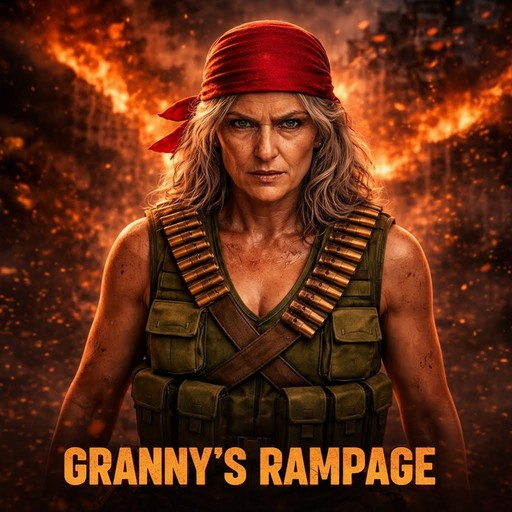
Consider Phaser if: you're making a 2D game and want JavaScript-speed iteration. We built Granny's Rampage in Phaser 3 and ship it as a Windows desktop build via Electron, same wrapper that lets the game run on practically any hardware without GPU bottlenecks.
More Dev Content
See how to make indie games, how to make pixel art, godot vs unreal, and building a bullet heaven in Phaser.
Frequently Asked Questions
Is Godot or Unity better for 2D games in 2026?
Godot is better for 2D games. It has a dedicated 2D renderer with pixel-perfect accuracy and native integer coordinates, while Unity's 2D is a layer on top of a 3D engine. GDScript also makes Godot easier for solo devs who aren't professional programmers.
Is Godot really free with no catch?
Yes. Godot uses an MIT license, meaning it is permanently free and open source with no revenue share, no runtime fees, and no subscription tiers. No one can retroactively change the terms, unlike proprietary engines.
Can Godot export to consoles like PlayStation and Switch?
Godot's console support is improving but still requires third-party tools or porting partners. Unity offers native console exports with official PlayStation, Xbox, and Switch SDK support, making it the easier choice if you are planning a console release.
Should I pick Godot or Unity for a 3D indie game?
Unity is the stronger pick for 3D. Its rendering pipeline (HDRP and URP), shader graph, particle systems, terrain tools, and massive Asset Store are all years ahead of Godot's 3D capabilities. Unity also has more refined mobile optimization tools for 3D projects.